Conversations next to your work.
Read and answer your mail beside the work it is about — and turn a message into a task or a page, so nothing waits in the inbox.
Try the demoNo signup required.
Create your workspace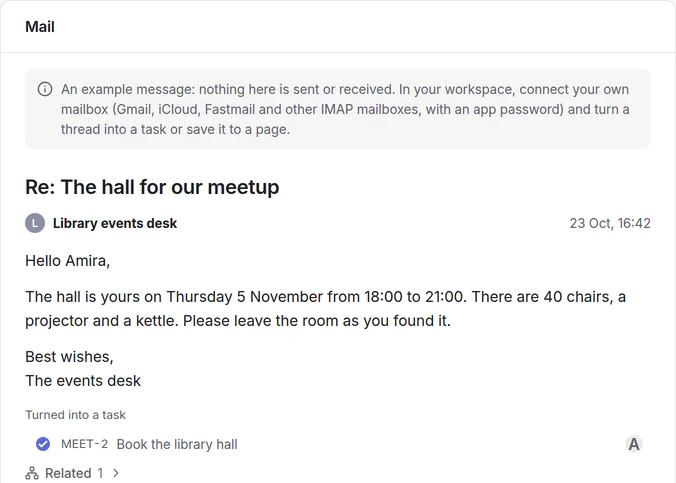
For your own work, your studies and your team.
Personal
Bookings and confirmations
Save the confirmation to your trip’s page, where the rest of the plan already is.
Study
A teacher’s instructions
Turn the message into a task with its deadline, and keep the thread one click away.
Team
Requests from outside
A request becomes a task in Projects that keeps the link to the conversation.
Connected
From the inbox to the task
Turn a thread into a task, or save it to a page. The task keeps the conversation one click away, so the reply and the work stay together.
Before you choose.
What it does, what it connects to, and what it doesn’t do.
Your mailboxes
- Gmail, iCloud, Yahoo, Fastmail or any IMAP and SMTP server, with a password or an app password.
- Up to 10 mailboxes per person.
- Outlook.com and Microsoft 365 mailboxes that only allow Microsoft’s own sign-in can’t be connected yet.
Good to know
- Your mail is yours: it is not shared with the workspace.
- Your messages stay in your own mailbox; zvena works with them over IMAP.
Try Mail with a ready example.
The demo opens on Mail, with the meetup example. No account needed.
Try the demoNo signup required.
Create your workspace