Docs
Notes, documents and knowledge.
Notes, plans and wikis in pages that grow with you: from a quick list to a shared knowledge base with tables and boards inside.
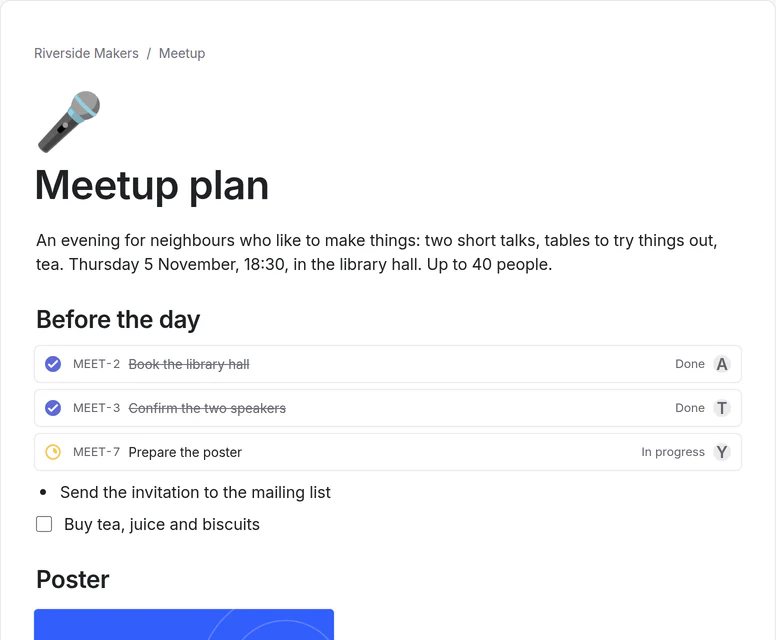
For your own work, your studies and your team.
Personal
A plan of your own
One page for a trip or a move: the checklist, a table of places with dates, and links to everything else.
Start from “Personal Home”Study
Lecture notes and exam prep
A page per lecture, and a table of topics that shows how well you know each one before the exam.
Start from “Exam Prep”Team
A wiki everyone can find their way in
Nested pages with comments and history, so a new person reads the latest version instead of asking.
Start from “Team wiki”
Connected
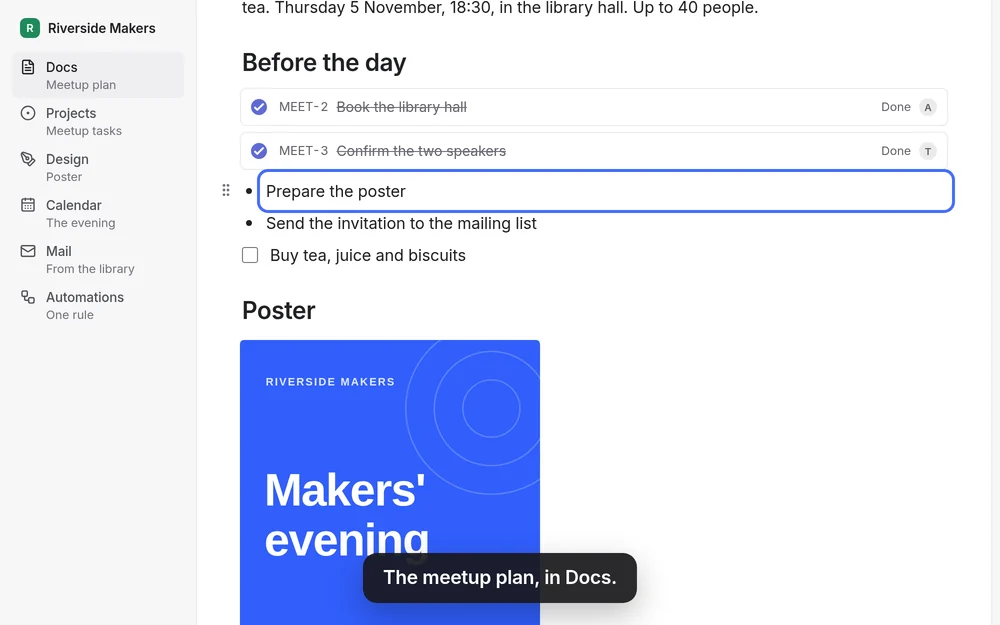
A line of the page becomes a task
Choose Turn into issue on any line and it becomes a task in Projects. The page keeps the live task — its status, its person — and the task links back to the page. Type /design to place a frame from Design that updates when the design does.
Before you choose.
What it does, what it connects to, and what it doesn’t do.
In the page
- Text, headings, lists, to-dos, tables, code, files and pictures.
- Databases with table, board, gallery, list, calendar, timeline, chart and form views.
- Comments, page history, templates, and pages you can publish to the web.
Bring it in, take it out
- Import from Notion: Settings → Import, with a token or an export file.
- Export everything as one archive: pages as Markdown and JSON, with their files.
Without an account
- Write in Docs right away at zvena.app/docs. The pages stay in your browser until you sign in; then they move into your workspace.
- Sharing, writing together and publishing need an account.
Try Docs with a ready example.
The demo opens on Docs, with the meetup example. No account needed.