How it works
Made to be connected.
Your docs, tasks, designs, meetings and mail live in one workspace and know about each other. Here is what that means day to day.
Things link to each other.
Not copies that drift apart: the same task, the same design, wherever you look at it.
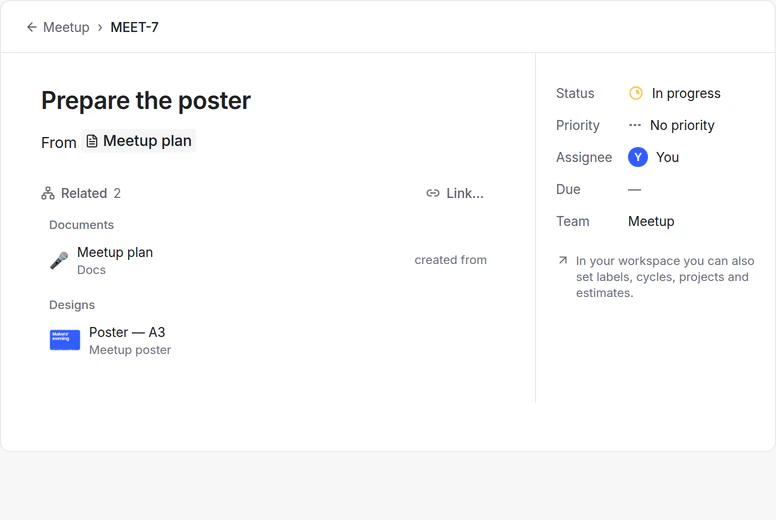
Turn things into tasks
A line of a page, an email, a design comment or a point from meeting notes becomes a task in Projects, and keeps a link to where it came from.
Live in the page
A task placed in a page shows its current status and person. A frame from Design shows the current version of the design.
Related, both ways
Every page, task and design lists what it is linked with — what it points to and what points to it — and you can link anything by hand.
Work on it together.
One workspace for your team, the same roles in every tool.
Invite with a link
Each person gets a role: editor, commenter or viewer. The roles are the same in Docs, Projects and Design.
Share a single page
Give someone full access, edit, comment or view on one page, or publish it to the web.
No price per person
There is no limit on members and no per-seat price. What members upload counts toward the owner’s storage.
Single sign-on
Organisations can sign in through their own identity provider, with SAML or OpenID Connect.
Update once. Keep the rest in step.
Different kinds of help, and in each one you can see what happened and change it back.
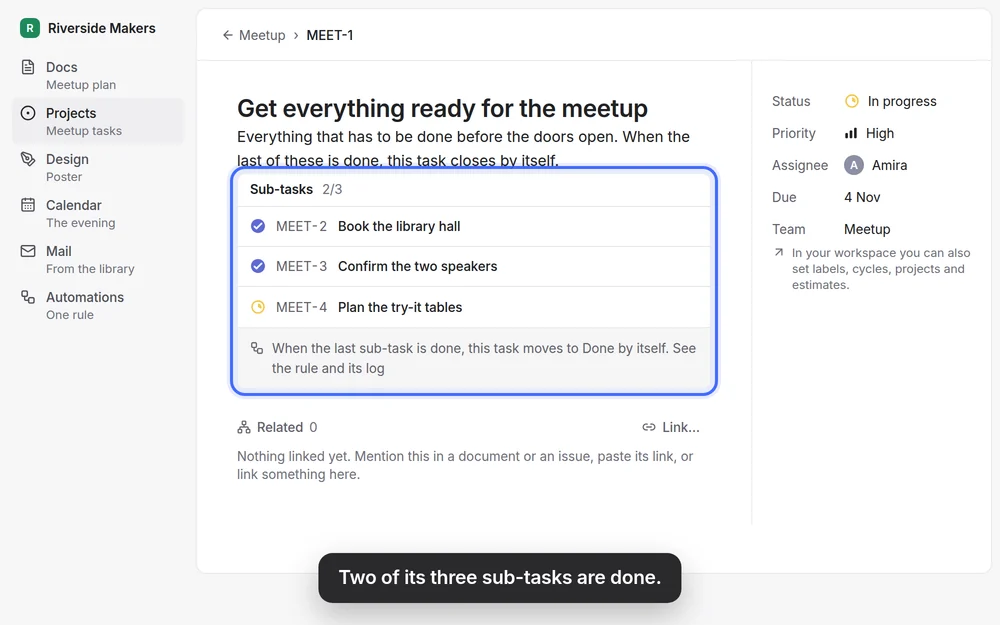
Links keep things in step
Because a task in a page is the task itself, there is nothing to copy: change it once and every place shows it. No rule needed.
Exact rules, written down
A task closes when its last sub-task is done; a project completes with its last task; a task can close when a number reaches its target. These are exact rules, not AI. Each step goes into the log with Undo, and the workspace owner can turn them off.
Your own rules in Docs databases
“When a page is added” or “when a property changes”, or on a schedule: set properties, add a page, notify people.
Suggestions you confirm
For a new task, zvena can suggest a priority, a label or a project. It fills an empty field only when it is very sure, with Undo, and never overwrites, closes or deletes what you made.
Nothing leaves without your OK
An action in another app waits for a person to confirm it, unless the workspace owner allows it to run by itself.
zvena AI, when you ask for it.
An assistant in Docs, Design and its own panel, that works with your rights.
Does what you name
It changes the page or task that is open or that you name; anything else it would change becomes a proposal for you to accept.
Every change can be undone
What the assistant did can be undone for 30 days.
125 credits a month, free
A free account gets 125 AI credits a month. When they run out, the assistant waits for next month; everything else keeps working.
Your work stays yours.
Hosted in the EU
No ads and no trackers. The few providers outside the EU are listed in the Privacy Policy.
One archive to take with you
Export your docs, tasks, files and designs in one archive, or delete your account, in Settings at any time.
Open source
The app is AGPL-3.0 and Design MPL-2.0. You can read the code or run zvena on your own server.
See the links for yourself.
The demo opens a ready project: try a line, a status, the poster and the rule.