Guide
Notes and tasks in one workspace
Meeting notes in one app, tasks in another, and a Friday spent copying one into the other. Here is how to keep both in the same place, so that every task points back to the note it came from.
Updated
The problem with two apps
After a meeting someone types the action items into a task tracker. A week later a task reads “Fix the onboarding crash”, and nobody remembers what was said about it: which Android versions, who reproduced it, what was ruled out. The note is in one app, the task in another, and the only link between them is somebody's memory.
In zvena, Docs (pages, wikis and databases) and Projects (an issue tracker with teams, cycles and a roadmap) live in one workspace with the same people, the same permissions and one system of links. A line of a note can become a task, the task keeps a link to the note, and either side can find the other. zvena calls tasks issues, as most trackers do.
Turn a note into tasks, step by step
The pictures below are real screenshots of zvena with made-up example data: a small team called Northwind and its weekly product sync.
- Write the note the way you already do. A meeting, a brief or a plan: any page in Docs. Keep the action items as plain lines. Docs opens without an account (your pages stay in your browser), but tasks live in Projects, which needs an account.
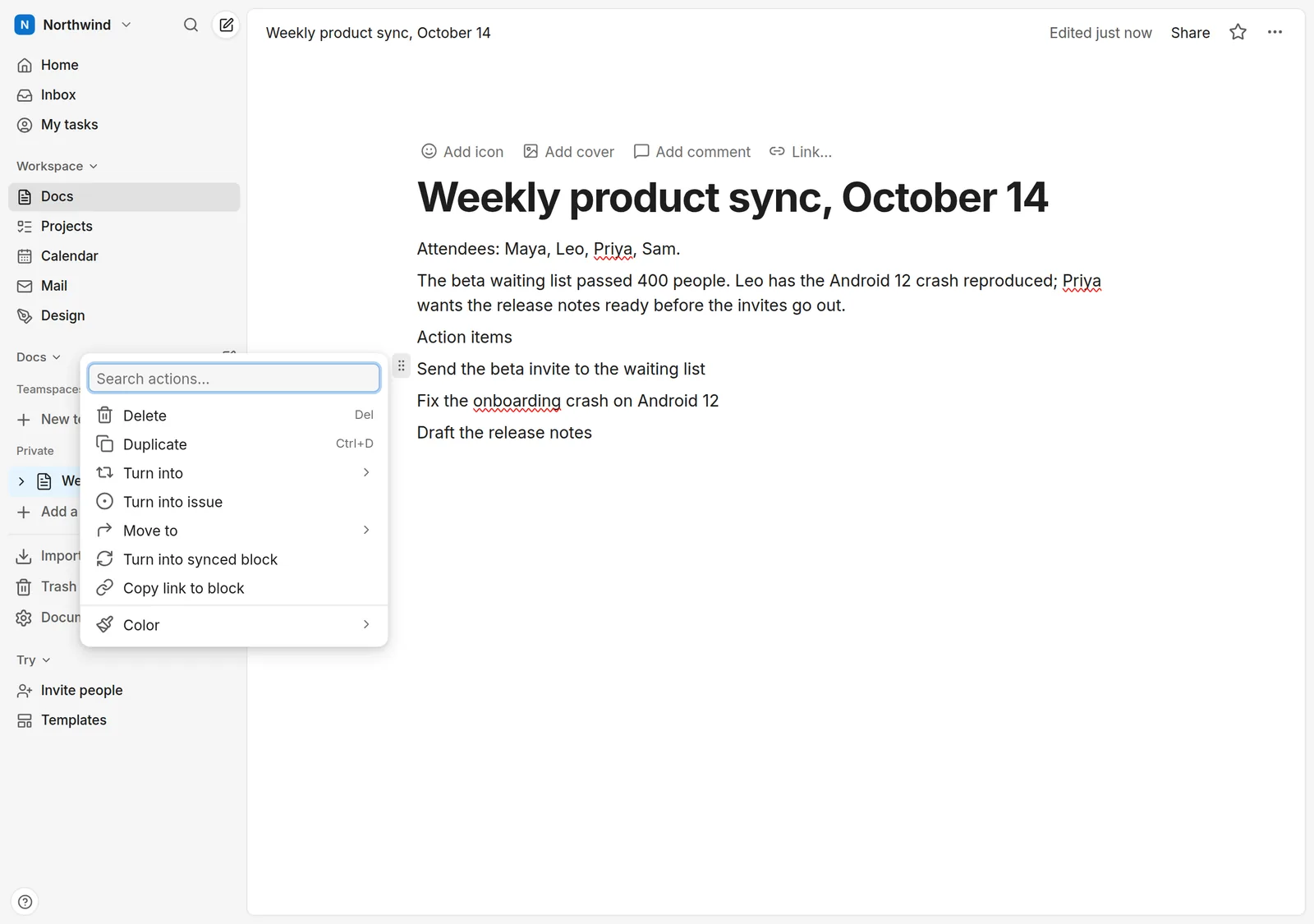
- Turn lines into tasks. Select the lines, open the block menu (the ⋮⋮ handle to the left of a block) and choose Turn into issue. Every selected line becomes its own issue in your workspace's team, titled with the line's text. To start from nothing instead, type /issue inside a note: it creates a new issue or links an existing one.
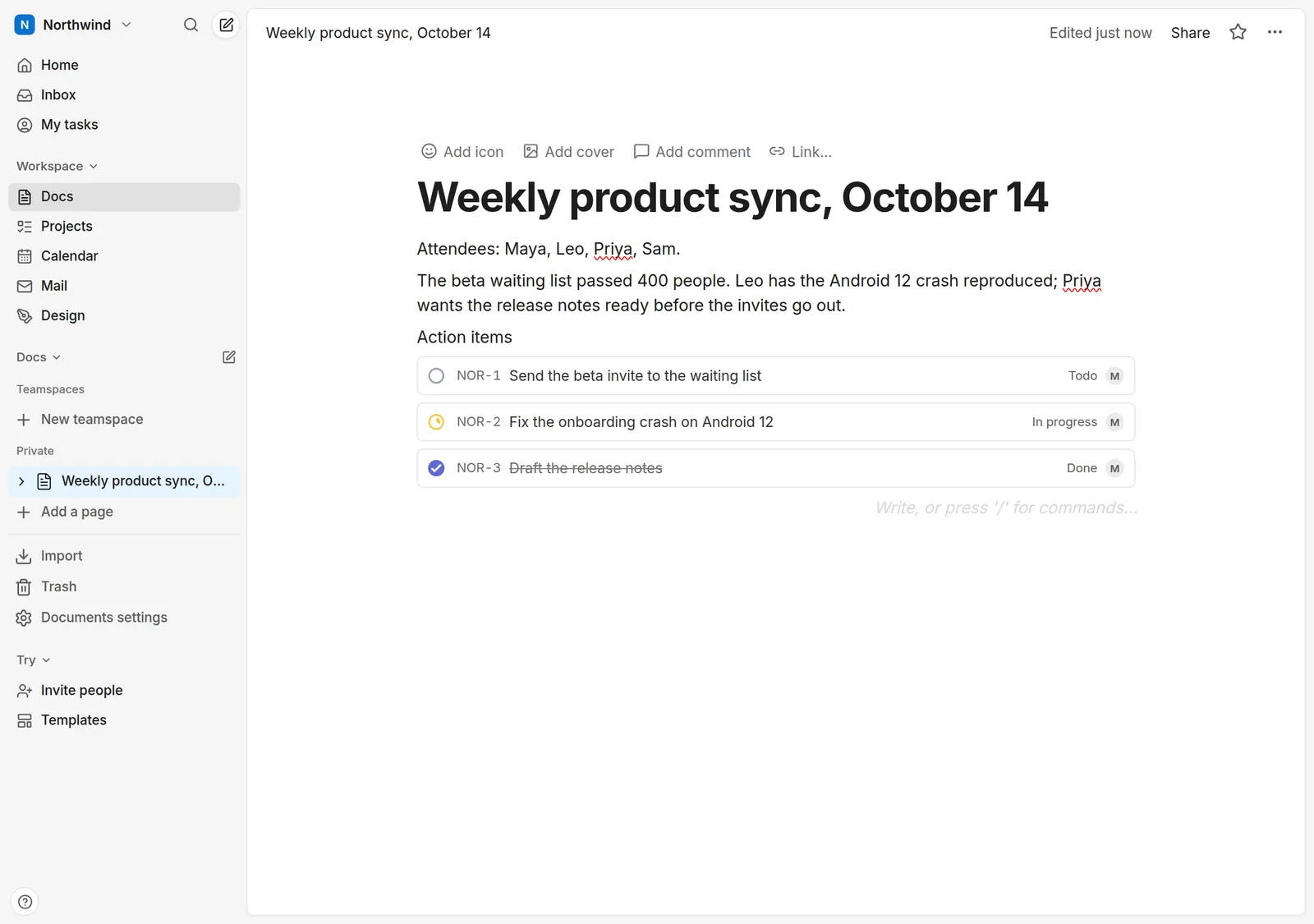
- Work from either side. Each line is now a live issue block, not a copy: it shows the issue's ID, status and assignee. The status icon opens the team's workflow, so you can mark a task in progress or done without leaving the note. Change the status in Projects and the note shows it too.
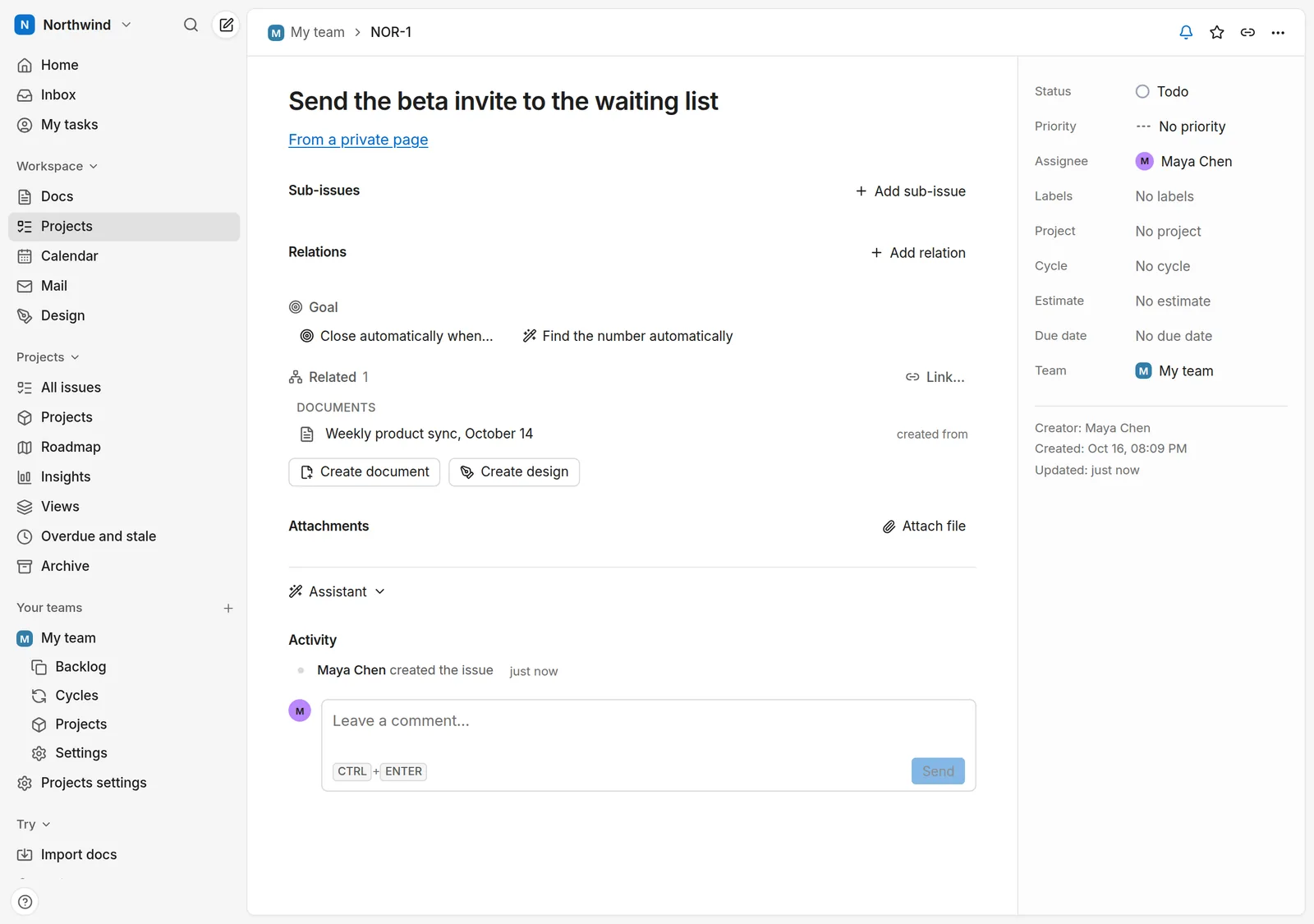
- Follow a task back to its note. Open the issue from the note, from Projects, from My tasks or from search. Under its title it says where it came from, and Related lists the note as created from. Link… adds more links by hand: other pages, projects or designs. The other direction works too: Create document on an issue starts a page named after it, with the issue linked.
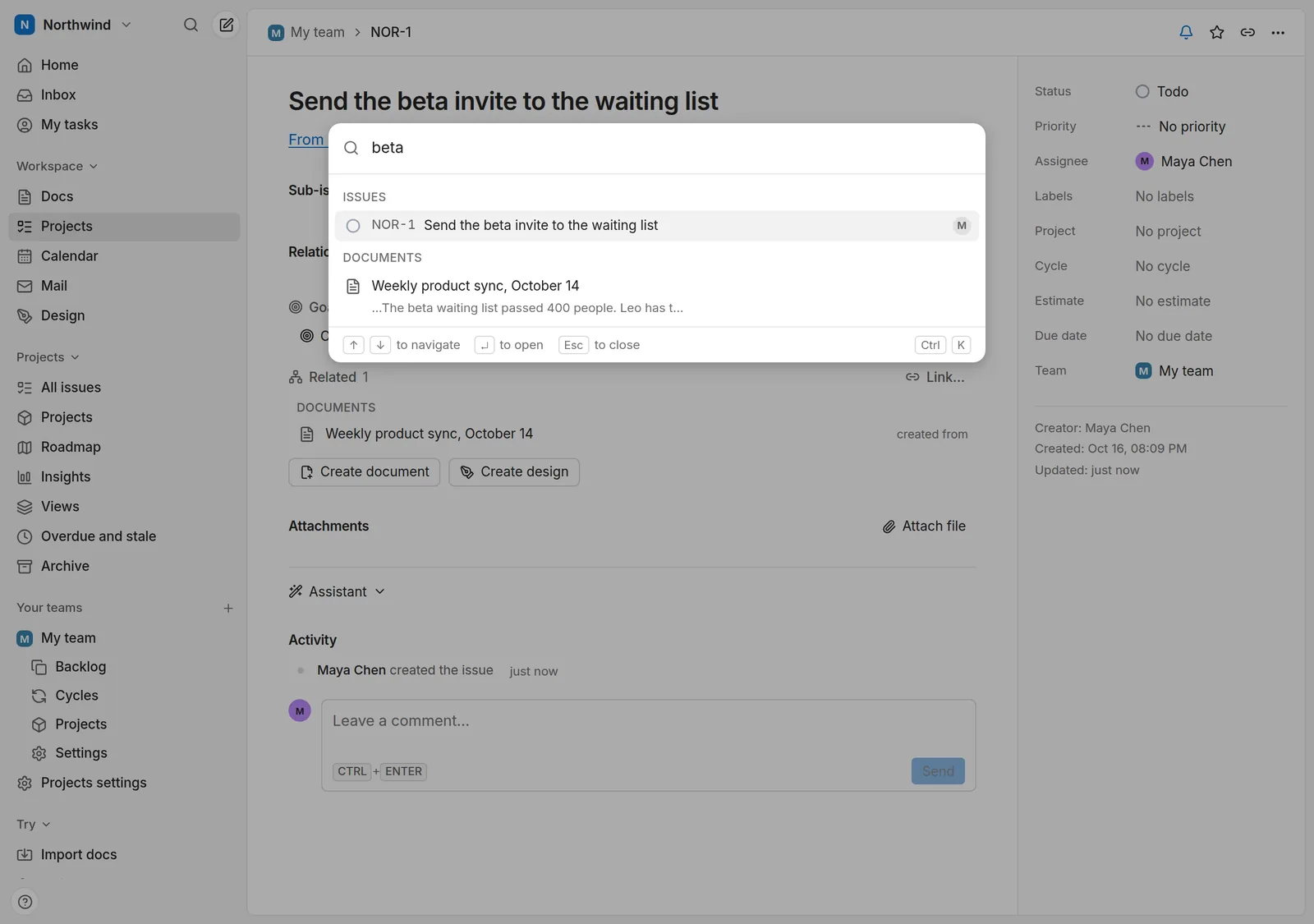
- Find it again. Ctrl+K (⌘+K on a Mac) searches documents and issues together. My tasks in the sidebar lists the issues assigned to you, as a list, a board or a calendar.
What to know before you rely on it
- Tasks need an account and edit rights. Without an account you can try Docs; Projects, Design, Calendar, Mail, sharing and publishing need one. To turn a line into an issue you need to be able to edit the page and add issues in the workspace.
- Permissions follow the objects. A private Projects team's issues are visible only to that team's members, wherever they are linked, and a page keeps the sharing it had.
- Links, not a sync with other tools. zvena has no ready-made connectors to other task managers. There is a Docs API with webhooks if you want to build one.
- Phones. zvena works in the mobile browser; there are no store apps yet.
- Smart suggestions are optional. A new issue, including one made from a note, can get a suggested priority, label, project and assignee. When that is on, the issue's text goes to our model provider; the privacy policy says exactly what, and a workspace owner can turn it off.
- Cost. It is free: no per-seat pricing, and 2 GB of storage per account. See pricing.
Questions
Does it work with a checklist I already have?
Yes. Turn into issue works on any line of text, including a to-do item. Use plain checkboxes for small things and an issue when something needs an assignee, a status or a place on the roadmap.
Can I keep notes and tasks in different teams?
Yes. Pages live in Docs, issues belong to a team in Projects, and a workspace can have several teams, some of them private. Links work across all of them for the people who may see both ends.
What if I move my notes from Notion?
Import them first (how to migrate from Notion), then turn the lines that are tasks into issues. See also the comparisons with Notion and Linear.
Can I run this on my own server?
Yes: zvena is open source. Self-hosting zvena says what you need and what to expect.
Where to go next
Free for everyone. No credit card, no trial, no ads.